

Hackney Accessible SEO: A Practical Inclusive-Search Guide

Updated: Nov 12, 2024
Hackney accessible SEO is the practice of making useful information both discoverable and usable across different devices, abilities, languages and circumstances. A page does not serve its audience when it appears in search but hides the answer in an inaccessible document, traps keyboard focus or prevents a form from being completed.
Hackney Council's current website accessibility statement openly identifies examples such as inaccessible documents, maps and forms, poor contrast, keyboard barriers and unclear link text. That transparency illustrates why accessibility needs testing, feedback and ongoing ownership rather than a one-off claim.
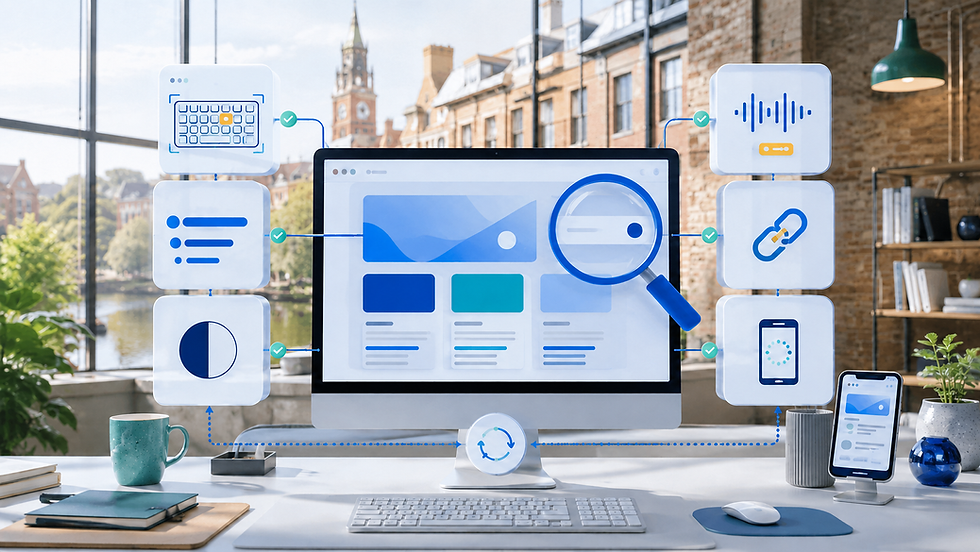
This guide covers page structure, plain language, navigation, forms, images, media, documents, multilingual content, local information, performance and testing. Four illustrative organisations show how inclusive search changes practical publishing decisions. Search visibility, standards conformance and commercial outcomes cannot be guaranteed; the aim is to remove preventable barriers and make evidence easier to verify.
Define Hackney Accessible SEO by Task Completion
Start with the priority tasks: understand a service, check access, compare an offer, book, buy, apply, find support or make contact. Record the information and interaction each task requires, including an alternative route when the main channel fails. Do not define success as traffic or an automated score.
Pair outcome measures such as completed bookings, valid applications or resolved enquiries with accessibility evidence: keyboard completion, zoom and reflow, readable errors, caption availability, document alternatives and feedback themes. Respect consent and data minimisation when measuring journeys.
Build a Hackney Accessible SEO Baseline
Give Hackney Accessible SEO Named Owners
Inventory priority pages, templates, menus, forms, media, documents, maps, widgets and third-party integrations. Sample different content states, including errors, empty results, unavailable offers and confirmations. Record known barriers, severity, affected task, owner and target review date.
Accessibility is shared. Editors own structure and alternatives; designers own hierarchy, contrast and states; developers own semantics and interaction; product owners set acceptance; and operational teams own the information behind the journey. Assign feedback and remediation so reports do not disappear into an unattended inbox.
Use the Winchester website accessibility guide for a wider baseline across content, keyboard, focus, forms, media and testing. This Hackney guide concentrates on how those controls support organic discovery and public information journeys.
Use Semantic Page Structure
Give each page a clear purpose, descriptive title and logical main heading. Nest subheadings by meaning rather than visual size. Use paragraphs, lists, tables and buttons for their intended function. Semantic structure helps screen-reader navigation and gives search systems clearer relationships without keyword stuffing.
Keep the primary content in a predictable reading order. Repeated navigation, banners and widgets should not interrupt the answer. Do not use styling alone to communicate heading level, required fields, errors, selected states or status. Ensure a page remains understandable when images, colour or decorative layout are unavailable.
Write Plain, Specific Content
Place the answer near the question. Use familiar words, short sections and concrete next steps. Explain specialist terms, abbreviations, eligibility, exclusions, price principles and time expectations. Plain language is not simplistic; it reduces unnecessary decoding while preserving the detail needed for a safe decision.
A maintained SEO content strategy can connect task-focused pages with distinct supporting explanations. Consolidate overlapping articles and avoid publishing many near-duplicate location or question pages that increase cognitive and maintenance burden.
Make Navigation and Links Descriptive
Use stable menus, visible current states, breadcrumbs where useful and link text that describes the destination. Avoid repeated 'click here' links that are meaningless out of context. Distinguish downloads, external services and steps that open a new process.
Keep keyboard focus visible and follow a logical order through menus, dialogs and widgets. Provide a way to bypass repeated content. A search result or filter needs an understandable label, empty state and recovery route. Do not rely on hover alone for essential information.
Design Forms for Recovery
Label every control, identify required fields, group related questions and accept reasonable input formats. Put instructions before the point of need. Errors should identify the field, explain the problem and preserve correct answers. Confirm submission and state what happens next.
The Brixton mobile-conversion guide treats the form, confirmation and staff hand-off as one journey. Test the route with keyboard, zoom, speech input and a real mobile device rather than assuming a successful browser message proves completion.
Ask only for information needed at that stage. Provide another contact route where appropriate, especially for urgent, complex or sensitive circumstances. Explain how personal information will be used and do not force a person to disclose a disability merely to request an accessible service.
Use Images as Information, Not Barriers
Write concise alternative text for the image's purpose in context. A decorative image can use a null alternative; a functional image needs the action or destination; a complex chart needs the conclusion and an accessible data or explanation route. Do not stuff keywords into alternative text.
Never place essential opening times, prices, addresses, menus or instructions only inside an image. Keep colour contrast adequate and avoid using colour as the sole status signal. Permission and truthful context still matter: an accessible description cannot fix an image the organisation has no right to publish.
Caption Audio and Video
Provide accurate synchronised captions for meaningful speech and sounds, and a transcript when it helps review or search. Audio description or an equivalent text explanation may be needed when visual information is essential. Identify the language and let users control playback.
Review automated captions for names, specialist terms, places and speaker changes. Do not autoplay sound or embed a heavy video where a short text answer would serve the task. Host or configure media so keyboard controls and focus remain usable.
Replace Document-Only Journeys
Publish core information as accessible web content whenever possible. A PDF, scanned poster, image menu or spreadsheet may be difficult to search, zoom, navigate or update. If a download is necessary, identify its format and size, test its structure and provide an alternative way to access the information.
Create one approved source so the webpage and document do not disagree. Set review dates and remove obsolete files from navigation and search paths. Redirect only when a genuinely equivalent replacement exists; an accessible homepage is not a substitute for a retired detailed document.
Plan Multilingual and Easy-Read Content
Use evidence from customer questions and service teams to decide which information needs translation, interpretation or easy-read treatment. Keep language selection clear and preserve the visitor's choice. Professional review is important where accuracy, safety, rights or eligibility are involved.
Do not generate thin machine-translated pages simply to target more search terms. Maintain each supported version, including dates, forms and contact routes. When a translation is unavailable, state that plainly and offer a realistic assistance route rather than displaying inaccurate confidence.
Publish Verifiable Local Access Information
Keep hours, address, service area, appointment requirements and contact details aligned with operations and managed local profiles. Publish useful access information such as step-free route, entrance, lift, toilet, seating, quiet-time or assistance details only when verified for the actual location.
Describe specific features and limitations instead of calling a place simply accessible. Give a way to ask about individual requirements. Link to current official transport information where conditions change and avoid copying a map or route description that the business cannot maintain.
Protect Mobile Performance and Reflow
Allow text to resize and content to reflow without hiding information or forcing two-dimensional scrolling in ordinary reading. Keep tap targets separated, prevent unexpected layout movement and make the primary task available before decorative scripts finish loading.
Use the Shoreditch technical SEO guide to align rendering, crawl paths, stable URLs and performance budgets with accessible templates. A fast page is not automatically accessible, but heavy or unstable delivery can create additional barriers.
Test Beyond Automated Tools
Automated checks can find some missing names, contrast issues and code patterns, but they cannot judge plain meaning, useful alternative text, logical focus or whether a task is understandable. Combine tools with keyboard review, zoom, screen-reader checks and appropriate user involvement.
The London website designer selection guide shows how to put accessibility objectives, evidence, acceptance and remediation into supplier selection. Test during design and development, not only at the final launch milestone.
Record the environment, pages, tasks, findings, severity, owner and retest result. Publish an honest feedback route and respond. A conformance statement should reflect real evidence and limitations; an overlay or toolbar cannot repair every structural, content and process barrier.
Measure Inclusive Search Outcomes
Review relevant discovery, task completion, form errors, support contacts, failed downloads, internal searches and accessibility feedback. Segment only when lawful and meaningful. Do not infer a person's disability from behaviour or build hidden profiles to prove inclusion.
Use findings to prioritise harm and frequency. An inaccessible application form can deserve attention before a low-traffic metadata issue. Annotate releases and content changes. Combine quantitative patterns with direct feedback because analytics cannot explain every barrier.
Four Illustrative Hackney Journeys
Practical Example 1: A creative venue
The venue keeps event details in accessible text, captions promotional video and publishes verified access information. The booking route works by keyboard and at zoom. A named team reviews schedule and access changes, while the page links to the organiser only when responsibilities are clear.
Practical Example 2: An independent restaurant
The restaurant replaces an image-only menu with structured web content and an accessible download. Current hours, booking, ingredients and allergen processes have operational owners. Colour does not indicate availability alone, and staff provide a contact route for individual access or dietary questions.
Practical Example 3: A professional service
The firm rewrites complex eligibility information in plain sections without removing necessary caveats. Its form has labels, grouped questions, useful errors and a confirmation route. Sensitive details are deferred until required, and submitting the form does not imply that a professional relationship has begun.
Practical Example 4: A community organisation
The organisation prioritises key service pages for professional translation and easy-read versions based on community need. Editors maintain one source record for dates and contacts. Phone and assisted routes remain available, and user feedback shapes the next content improvement rather than generating dozens of unowned pages.
Responsible AI for Hackney Accessible SEO
AI can draft alternative-text options, suggest plain-language revisions, compare heading outlines, flag inconsistent links and propose accessibility test cases. It can help summarise anonymised feedback. These outputs are starting points and must be checked in the real page context.
Never use AI to claim conformance, replace disabled people's input, infer disability, invent access features or publish an unreviewed translation. Do not upload identifiable feedback, health or support information, credentials, private case notes, customer records or unreleased service data to an unapproved system.
Content owners must verify facts; language specialists must approve important translations; rights owners must approve media; accessibility practitioners and users should inform testing; and technical owners must validate implementation. Human teams remain accountable for accuracy, inclusion, privacy, security and remediation.
A Practical 90-Day Inclusive Plan
In the first month, identify priority tasks, templates and known barriers. Fix harmful form, keyboard, document and contact failures. Assign feedback and establish a small evidence baseline.
In the second month, improve one complete journey across search result, page, action and confirmation. Add editorial guidance and training. In the third, test with appropriate users and assistive technology, publish honest findings and plan the next highest-impact improvement.
Choose Inclusive SEO Support Carefully
A useful provider should ask about audiences, priority tasks, content ownership, accessibility objectives, testing, translations, feedback and remediation before proposing keywords. They should explain tool limitations, protect sensitive data and avoid guaranteed rankings or instant conformance claims.
Explore Wix Solutions' SEO, accessibility and website services to scope a priority-journey review, content repair, accessible redesign or testing plan. The first improvement should address a real barrier, not create a badge.
Conclusion
Effective Hackney accessible SEO makes important information easier to find, understand and use. Combine semantic content, accessible interaction, lightweight delivery, responsible local facts and ongoing feedback. Inclusive quality is maintained through people and process, not added by a single widget.
If you want to improve an important Wix journey, contact Wix Solutions with the priority task, known barriers and available evidence. We can identify one practical inclusive-search improvement to begin.


