Beauty Salon Website Template: What a High-Performing Salon Site Needs

Updated: Nov 23, 2024
A beauty salon website template can give a new site a useful starting structure, but the template itself does not create a strong customer journey. The important work happens when the layout is adapted to the real salon: its services, pricing approach, location, booking process, brand, photography, customer questions and day-to-day management. A visually impressive template can still perform poorly if clients cannot understand which treatment to choose or cannot find the information they need before booking.
For Wix Solutions, the best template is not necessarily the one with the most effects or sections. It is the one that can be shaped into a clear, mobile-friendly and maintainable website without fighting the business model. This guide explains what to review before choosing a salon template and which elements deserve careful customisation after the design is installed.

What a salon website template needs to do well
A salon website template should support the tasks clients actually perform. Most visitors want to understand services, see whether the salon feels suitable, check location or opening information, learn important preparation or policy details and take the next step. Depending on the business, that next step may be online booking, a consultation request, a phone call or a message. The page structure should make those routes obvious without forcing every visitor through the same path.
Think of the template as a layout system rather than finished content. Replace generic beauty-industry wording, demonstration images and placeholder calls to action with information that reflects the real salon. Keep the parts that help the customer journey and remove decorative sections that add length without answering a question.
Salon website template navigation should reflect client language
Navigation labels should be recognisable to clients, not organised around internal terminology. Typical destinations may include Services, Prices, About, Gallery, Reviews, Contact and Book, but the final structure should match the business. If the salon offers several specialist treatment groups, category pages can help visitors understand the options before they reach individual service detail.
Design service pages around decisions, not just treatment names
A list of treatment names and prices may not be enough for a new client. Where relevant, service pages should explain who the treatment is suitable for, what is included, approximate duration, preparation, important limitations, aftercare expectations and how booking works. Use language a client can understand and avoid making medical, cosmetic or performance claims that the business cannot support.
The audience-research principles in Target Audience Profiling can help identify which questions deserve priority. A first-time customer may need more explanation than a returning client who already knows the treatment and simply wants to book again.
Make mobile booking and contact routes easy to use
Salon customers often reach a website from a phone, so the mobile experience deserves deliberate design rather than being treated as a smaller desktop page. Check text size, spacing, sticky elements, image crops, service menus, form fields and the visibility of the main next step. A booking button should not cover important content, and a long gallery should not make clients scroll through dozens of images before reaching service information.
Where the salon uses an online booking system such as Wix Bookings, test the full client journey rather than only the button. Confirm that service names match the website, staff or location choices make sense, availability is understandable and confirmation information supports the real appointment process. If a service requires consultation before booking, the website should make that route clear.
Use photography to explain the salon, not merely decorate it
Strong salon photography can show the environment, team, treatment spaces and examples of work where appropriate. Use real business imagery when it adds trust and context. Avoid presenting stock photographs in a way that could make a visitor believe they show actual clients, staff or results. Compress and crop images carefully, provide useful alt text and check how important subjects appear on mobile.
A gallery should help a visitor understand style or capability. Curate it rather than uploading every available photograph. Grouping images by relevant service or treatment type can make the gallery more useful than a single long stream.
Use testimonials as evidence, not filler
Testimonials can support trust when they are genuine, permissioned and specific enough to be useful. Place relevant feedback near the service or decision it supports rather than hiding every quotation on one isolated page. Do not invent client names, outcomes or star ratings. The guide to customer testimonials explains how to collect, verify and position feedback responsibly.
Build local search information into the page structure
A salon website should make its real location and service area easy to understand. Use accurate contact details, opening information, directions where useful and naturally written service content. Local SEO is not achieved by repeating the town name in every heading. The site still needs helpful pages that answer client questions, technically accessible content and a consistent business identity across relevant online profiles.
If the salon serves more than one location, avoid creating near-duplicate pages that simply swap place names. Each location page should contain genuinely useful information specific to that branch, such as address, access details, team, available services or booking route.
Four practical beauty salon website examples
Example 1: a compact neighbourhood beauty salon
An illustrative neighbourhood salon offers a focused list of treatments from one location. Its website does not need a complicated mega-menu. A strong home page, clear service categories, team introduction, concise gallery, reviews, contact information and an obvious booking route may be enough. The template should make those elements easy to scan on a phone and simple for the owner to update.
Example 2: a specialist salon where consultation matters
A specialist salon offers services that require an initial consultation. Instead of pushing every visitor directly into an appointment calendar, the website explains suitability, consultation steps, preparation and what happens afterwards. The primary call to action leads to consultation booking or enquiry, while returning customers can still reach repeat-service booking efficiently.
Example 3: a multi-service salon with a large treatment menu
A salon offering hair, nails, brows and beauty treatments can easily overwhelm visitors with one enormous service list. A better structure groups services into understandable categories, gives each category a short overview and links to detailed choices. The booking system follows the same naming logic so clients do not have to translate between website language and booking labels.
Example 4: a salon redesign keeping an established booking process
An established salon redesigns its website but wants to keep a booking process clients already understand. The new template is adapted around that existing journey rather than forcing a different flow simply because the demo site uses one. Service names, booking links and confirmation expectations are checked together, while visual design, mobile layout and content structure receive the main improvements.
How AI tools can support a salon website project
AI can accelerate planning tasks when the salon supplies accurate source information. It can organise treatment notes into a first-pass page structure, cluster recurring customer questions, suggest FAQ groupings, produce alternative headline options and create draft social or email variations from approved service content. Image-generation tools can support visual concept exploration for mood boards or campaign ideas, provided generated imagery is not presented as genuine client work or real treatment results.
AI still needs professional review for salon content and imagery
AI can invent treatment claims, misunderstand contraindications, distort hands or faces in images and produce generic language that does not match the salon. It cannot verify whether a client has consented to an image or testimonial. Service descriptions, pricing, policies, health-related wording, photography and claims should therefore be checked by people who understand the business and the relevant professional requirements before publication.
Plan the website for ongoing salon updates
A template should remain manageable after launch. Decide who will update services, prices, staff, opening information, seasonal content and galleries. Keep repeated information under control so one change does not require editing many unrelated pages. Schedule reviews when treatments or booking procedures change rather than leaving old information live indefinitely.
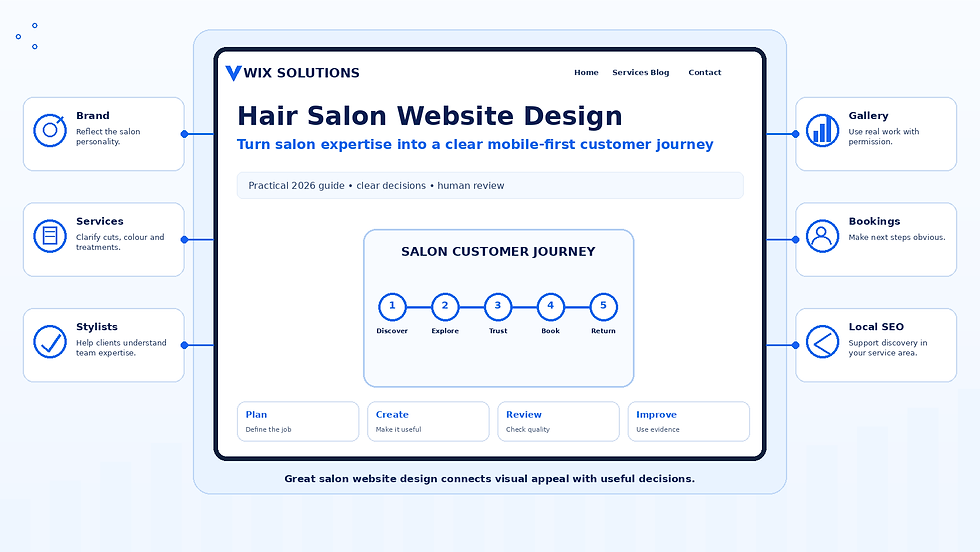
For salons with a stronger hair focus, the dedicated Hair Salon Website Design guide explores the customer journey, portfolio presentation and service structure in more detail. Spa businesses can use the related Spa Website Template guide for a treatment and wellness-focused approach.
Choose the template around the business, not the demo
A strong beauty salon website template is one that can be adapted to the salon’s real customer journey without unnecessary complexity. Prioritise understandable services, reliable mobile behaviour, appropriate booking routes, credible imagery, verified testimonials, local information and an update process the team can manage. Visual style matters, but it should support clarity rather than replace it.
Wix Solutions can help businesses turn a starting template into a structured salon website that reflects the actual brand, services and booking process. No template guarantees search rankings or appointments; the value comes from combining sound design with accurate content, useful customer journeys and ongoing maintenance.