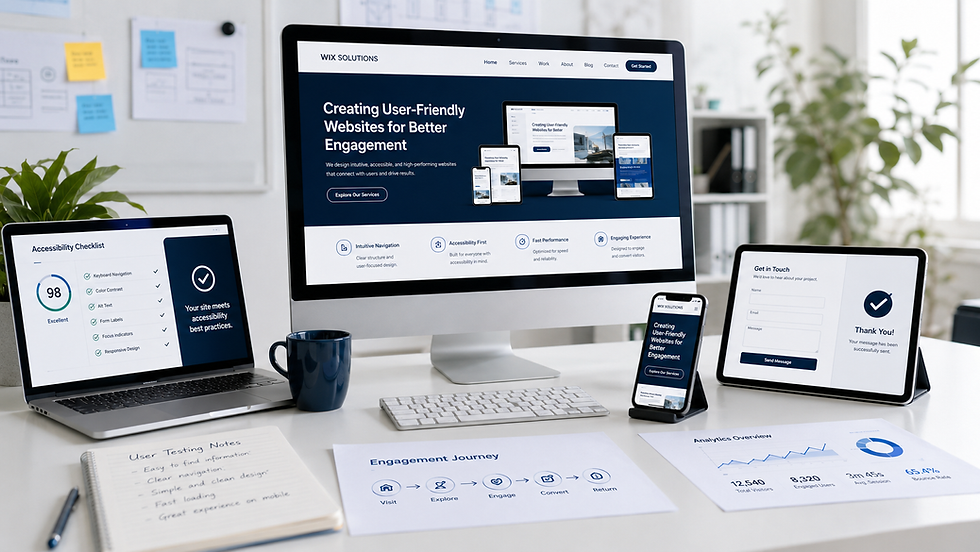
Wix website design

A successful Wix site is not defined by how many features it contains. It is defined by how clearly it helps customers understand, trust and act—and how reliably the business can manage what happens afterwards. Wix website design therefore begins with customer journeys and operational needs, then selects the right combination of pages, content, forms, bookings, commerce, automation and reporting.
This Wix Solutions guide explains how UK business owners can plan a professional Wix or Wix Studio project, what to include in the brief and how the platform can support different business models. Five fictional case studies show the approach in practice. Features, pricing and availability can change, so every project should confirm current Wix plans, terms and regional support before implementation.
Wix website design: a Practical Framework
Wix provides several ways to create and manage a website. Wix Studio is positioned by Wix as a professional platform for designers, developers and marketers working with clients, with responsive design, CMS, business solutions, development tools and team workflows. The right choice still depends on complexity, ownership and budget. A smaller site may need a focused build; a multi-location, data-driven or highly customised site may benefit from Studio and CMS.
Wix Solutions does not start by installing every available app. We establish what the website must achieve, which content changes frequently, which transactions or enquiries need support, who will maintain the system and where manual work should remain.
1. Define Outcomes and User Journeys
State the business outcome in operational language: sell a specific product range, attract suitable consultations, book trials, qualify quotations or reduce repetitive administration. Then map the customer journey from discovery to decision and follow-up.
A journey should include the questions customers ask, the evidence they need, the action they take and the confirmation they receive. It should also show what happens internally: who receives a lead, where data is stored and which response is promised.
2. Plan Content and Information Architecture
Create a sitemap before polishing the home page. Use labels customers recognise, group related services and make important pages reachable through descriptive links. Define one purpose for each page and list the proof it needs: specifications, qualifications, process, case studies, reviews, pricing context or FAQs.
Write with real content early. Placeholder text hides layout constraints and can make an attractive concept collapse when actual service names, disclaimers and product options arrive.
3. Choose Repeatable Content for Wix CMS
Wix CMS can support repeatable content such as projects, service areas, teams, resources, locations, classes or packages. Collections hold structured fields; connected layouts can present that information consistently. This is useful when a business updates many similar items.
CMS is not automatically the right home for everything. One-off strategic pages may be simpler as standard pages. Collection permissions, field names and ownership should be planned so staff can update content without changing the design or exposing information that should remain private.
4. Select Business Functions Deliberately
Forms for structured enquiries, applications, questionnaires or consent requests.
Bookings for appointment, class or consultation availability where self-service suits the operation.
Stores for products, subscriptions or ecommerce workflows when catalogue and fulfilment requirements fit.
Automations for confirmations, internal notifications and appropriate follow-up.
Events, members, programmes or other Wix business solutions when they solve a defined journey.
Custom development or integrations only when native options do not meet an important requirement.
Every function has consequences for permissions, data, staff workload, policies and support. A booking calendar is only useful when availability is accurate. An online store requires product data, delivery rules, returns information and fulfilment ownership.
5. Design a Responsive System
A responsive system uses reusable sections, components, spacing and typography while allowing content to reflow across screens. Wix Studio gives professional creators responsive controls, but those controls still require judgement and testing.
Test long headings, validation errors, empty states, product options, calendars, filters and tables—not only a clean home page. Mobile users must be able to complete the same important task without missing content or encountering inaccessible controls.
6. Build Accessibility and Performance In
Use readable type, sufficient contrast, logical headings, visible focus, descriptive labels and meaningful alternative text. Check keyboard use and do not rely on colour alone. Avoid motion that distracts from the task, and provide appropriate controls.
Optimise images before uploading, use sensible dimensions, limit unnecessary scripts and test real templates on mobile connections. Performance and accessibility are continuing responsibilities because new content can introduce problems after launch.
7. Configure SEO Foundations
Set a unique page title, descriptive meta description, logical URL, indexability and social image for every important page. Use internal links that help visitors move between relevant topics. Structured data must match visible content, and local or service-area pages must offer genuine information rather than repeated text.
Wix SEO tools support implementation, but no platform or checklist guarantees rankings. Helpful content, competition, reputation, technical delivery and ongoing maintenance all contribute.
8. Plan Governance and Handover
Decide who can edit design, manage content, view enquiries, process orders, handle bookings and change settings. Use roles and permissions proportionately. Document routine tasks, escalation routes and the purpose of each collection or automation.
A professional handover includes training with the real team, not only a generic video. The owner should understand what can be changed safely, what requires testing and where business policies are maintained.
Five Illustrative Wix Website Case Studies
All case studies below are fictional. Names, people, interfaces, products, prices, accreditations, schedules, testimonials, dashboards and outcomes shown in the visuals are illustrative only. They are not real Wix Solutions client claims or guaranteed results.
Case Study 1: Specialty Coffee Roaster
A coffee roaster sells individual bags, subscriptions and wholesale supply. The website needs to connect product data, origin and roast information with fulfilment choices and repeat purchasing.
Wix Solutions would define product categories, variants, subscription rules and delivery information before designing the catalogue. A roast-guide content hub could answer brewing questions and link naturally to suitable products. Trade customers would use a separate enquiry journey that asks about business type and expected volume without forcing them through a retail checkout.
Automations might confirm an enquiry or purchase and notify the right team, but marketing consent and frequency must be managed responsibly. Reporting would distinguish retail orders, subscriptions, repeat customers and qualified trade enquiries.

Case Study 2: Independent Mediation Practice
A mediation practice must explain its process in calm, neutral language and protect sensitive enquiry information. The website should not imply legal advice, decide suitability automatically or promise an outcome.
The structure would separate service types, the mediation process, FAQs, resources and contact. A short triage form could gather enough information for a confidential callback while avoiding unnecessary detail. Privacy wording, retention and access would be reviewed by the practice and its professional advisers.
Booking would be offered only where the practice can honour availability and confidentiality requirements. Success would mean better-informed, suitable enquiries and fewer misunderstandings—not a dramatic conversion claim.

Case Study 3: Residential Solar Installer
A solar installer needs to explain service coverage, equipment and survey steps without presenting a quick online estimate as a guaranteed price or energy saving. Local trust must be supported by verifiable evidence.
Wix CMS could manage service areas and completed projects, while a multi-step form captures property and roof information needed for an initial review. The result should be framed as an enquiry or indicative range until a qualified survey confirms suitability.
Accreditations and memberships must be current and approved before display. Lead-routing automation can assign enquiries by area, but staff should monitor exceptions. Performance matters because project galleries can contain large images.

Case Study 4: Luxury Home Organiser
A home organiser sells a personal service in private spaces. The site needs a refined brand, but also clear packages, consultation expectations and responsible handling of photographs and testimonials.
CMS could keep packages consistent across pages, while a booking form collects broad goals without requesting unnecessary personal detail. Before-and-after images would require explicit client approval and a withdrawal process. Testimonials would be published only after review and consent.
The customer journey should move from relevant examples to package understanding and a consultation, not pressure visitors with manufactured scarcity. Reporting would assess suitable consultations and referral sources.

Case Study 5: Youth Sports Academy
A youth sports academy must help parents find suitable sessions, understand cost and review safeguarding information. The team also needs a manageable timetable and a responsible process for photographs of children.
A CMS collection could store session, age group, location, day and coach fields, powering filtered class pages. Wix Bookings or another suitable workflow could handle trials and payments where the academy’s terms and safeguarding processes allow. Automated reminders may reduce administration, but their content, timing and recipient data require governance.
Parent FAQs, refund policies, accessibility information and safeguarding routes must remain easy to find. Image consent should be recorded and reviewed before content is published.

A Wix Website Project Checklist
Business outcomes and primary user journeys agreed.
Sitemap, page purposes and content owners documented.
Real copy, imagery, policies and evidence collected.
CMS collections designed with fields, permissions and maintenance responsibilities.
Forms, bookings, ecommerce and automation mapped from customer action to staff response.
Responsive layouts tested with real content at multiple widths.
Accessibility, keyboard use, contrast, labels and alternative text reviewed.
Images, video and third-party scripts checked for performance.
SEO titles, descriptions, URLs, social images, redirects and indexability configured.
Roles, permissions, analytics, training and post-launch support agreed.
Choosing Wix or Wix Studio
Wix can suit business owners who want to manage a focused site with integrated business tools. Wix Studio is designed for professional creators and teams needing advanced responsive control, client workflows, CMS and development options. The decision should follow the project, not the prestige of the label.
Ask who will build, who will maintain, how much custom behaviour is required and whether the design system must support many templates or collaborators. Wix Solutions can recommend a proportionate setup after discovery.
Related Wix Solutions Articles
Start with the principles in Exploring the Fundamentals of Website Design. Use Key Elements Every Successful Website Should Have as a feature checklist, and read Creating User-Friendly Websites for Better Engagement before finalising navigation and forms.
Frequently Asked Questions
Is Wix suitable for a professional UK business website?
Yes, when the project fits the platform and is implemented professionally. Wix and Wix Studio can support content, forms, bookings, ecommerce and other business journeys. Suitability depends on requirements, integrations, governance, budget and long-term ownership.
Do I need Wix Studio?
Not always. Studio is useful for professional teams, advanced responsive control, scalable design systems and more complex projects. A simpler Wix build may be more proportionate for a smaller site. Discovery should determine the choice.
Can I update the website myself after launch?
Yes, if the site is structured and handed over well. CMS collections and appropriate roles can help staff update content without changing layouts. Training and written responsibilities reduce accidental damage.
Does Wix automatically handle SEO?
Wix provides SEO settings, structured data capabilities and technical tools, but the business still needs useful content, accurate metadata, internal links, measurement and maintenance. No platform automatically guarantees visibility.
Bibliography
Don't Make Me Think, Revisited: A Common Sense Approach to Web Usability, 3rd edition — Steve Krug.
Information Architecture for the Web and Beyond, 4th edition — Louis Rosenfeld, Peter Morville and Jorge Arango.
Designing with Web Standards, 3rd edition — Jeffrey Zeldman and Ethan Marcotte.
Content Strategy for the Web, 2nd edition — Kristina Halvorson and Melissa Rach.
Web Form Design: Filling in the Blanks, 1st edition — Luke Wroblewski.
Responsive Web Design, 1st edition — Ethan Marcotte.
Official Wix References
Current product details can be checked on the official Wix Studio platform page, Wix online store page and Wix scheduling software page. Confirm plan requirements and regional availability before purchase.
Wix Solutions designs Wix and Wix Studio websites around the complete business journey: clear content, responsive interfaces, reliable operations and maintainable ownership. The platform is the foundation; the quality comes from the decisions made on top of it.