Content Lifecycle Management: Plan, Review, Refresh and Retire Content

Updated: Nov 22, 2024
Content lifecycle management begins after a business accepts that publishing is not the final step. Useful pages, guides, product information and resources need owners, review points and clear rules for what happens when facts, services, links, screenshots, customer needs or search behaviour change. Without that structure, content tends to age silently until a visitor finds the problem first.
This article focuses on the operational side of the lifecycle: who owns important content, how review intervals are chosen, how updates are prioritised and how a team decides between keeping, refreshing, repurposing or retiring an asset. Wix Solutions treats lifecycle management as practical content governance rather than a promise to update everything constantly.

Why lifecycle management needs ownership and review dates
An important page should have a person or team responsible for its accuracy. Ownership does not mean that person writes every update; it means someone knows why the asset exists, which information is sensitive to change and who needs to approve revisions. A review date creates a prompt to inspect the page, not an instruction to rewrite it regardless of need.
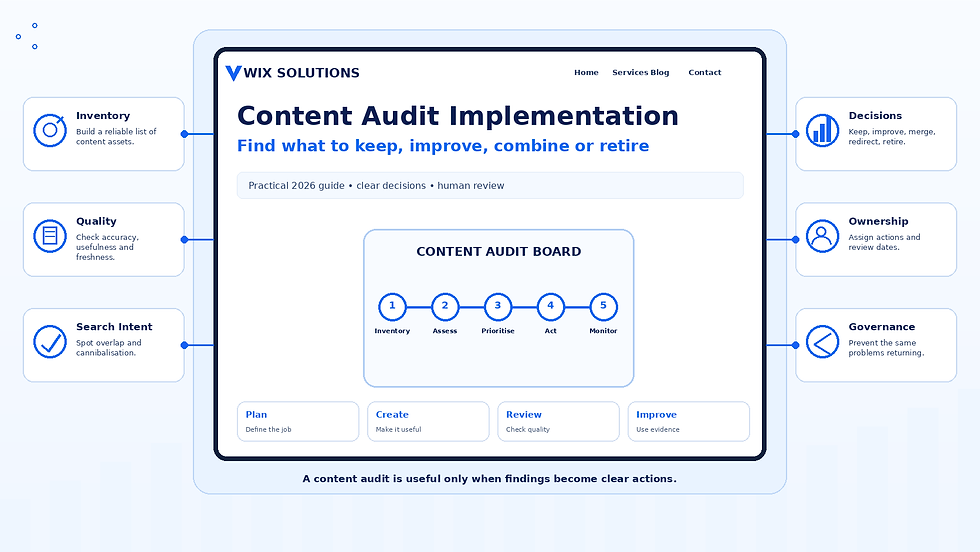
A structured Content Audit Implementation can establish the initial inventory and identify which assets deserve ongoing maintenance. Lifecycle work then turns that one-off audit into a repeatable operating process.
Lifecycle management roles for high-value content
For commercially or operationally important content, record at least the owner, purpose, audience, critical source information, last meaningful review and next review point. If approval is required from a specialist, legal adviser, service manager or product owner, record that dependency as well. This reduces the risk of an editor changing a claim without understanding where it came from.
Choose review intervals according to risk and change rate
Not every asset needs the same maintenance schedule. Pricing, availability, regulated information, fast-changing software instructions or time-sensitive campaigns may need frequent checks. An evergreen explainer about a stable concept may remain accurate for much longer. Review frequency should reflect the cost of being wrong, how often the underlying information changes and how visible the page is.
The aim is controlled maintenance, not a calendar full of unnecessary rewrites. A review can end with “no change required” if the information, intent, links and presentation are still appropriate. That decision is useful because it confirms the asset has been checked rather than forgotten.
Maintain source information so updates remain consistent
When several pages repeat a key fact, inconsistency becomes a lifecycle risk. Record where important claims, specifications, service definitions or policy wording come from. If a product capability changes, the team should be able to identify which pages depend on that information. Source control is particularly useful for screenshots, data points, testimonials, pricing explanations and technical instructions.
The planning principles in Goal-Driven Content Creation help here because an asset with a defined purpose is easier to maintain: the reviewer knows what the page must continue to help the audience do.
Use performance evidence to prioritise maintenance
Maintenance effort should take performance and business importance into account. A high-visibility article with outdated advice may deserve immediate attention. A low-traffic page that supports a critical customer task may also be important. Review search queries, internal progression, conversions, support feedback and customer questions together rather than ranking the worklist by traffic alone.
Use Content Performance Analysis to connect metrics to the job each asset was created to do. Performance evidence should help prioritise the review; it should not automatically decide whether a page survives.
Decide between keep, refresh, repurpose and retire
Keep content that remains accurate, useful and aligned with current strategy. Refresh content when the topic and URL still have value but wording, evidence, structure, images or links need improvement. Repurpose strong source material when another format would help a different channel or customer stage. Retire content that is obsolete, misleading or genuinely redundant, with redirects and internal links handled carefully.
Four practical lifecycle management examples
Example 1: a service page linked to a changing delivery process
A consultancy changes the way projects move from discovery to implementation. The service page still attracts the right audience, so retirement would make little sense. The lifecycle owner reviews the process section, related FAQs, call to action and any linked onboarding resources, then updates only the parts affected by the operational change.
Example 2: a software guide built around ageing screenshots
A training article explains a workflow correctly but its interface screenshots no longer match the current product. The page remains useful, so the maintenance action is targeted: confirm the steps, replace or remove misleading images, update alt text and review linked instructions. The URL and central topic can remain stable.
Example 3: an e-commerce buying guide after a product range changes
A buying guide compares products that have changed over time. Rather than replacing the article every season, the owner reviews which models are still available, whether comparison criteria remain useful and whether internal links lead to current categories. If the underlying customer question is stable, the guide can be refreshed while preserving its established destination.
Example 4: several campaign pages after the campaign ends
A B2B campaign creates a landing page, webinar page and several supporting articles. After the live activity ends, the team reviews what should remain evergreen. A strong educational article may be retained and updated, the webinar page may point to an on-demand resource, and temporary registration pages may be retired with appropriate redirect decisions.
How AI tools can support content lifecycle management
AI tools can make maintenance queues easier to manage. They can flag dates, outdated terminology, repeated claims, old product names, broken-looking references, similar pages and sections that appear inconsistent with a current source document. They can summarise what changed between two approved versions and help turn review findings into a structured update brief.
Use AI to find maintenance candidates and organise review work
A practical process might compare a current service definition with a list of pages that mention the service, then use AI to flag wording that may need inspection. Another use is clustering maintenance notes by urgency or owner. These applications save sorting time while keeping the underlying source and decision visible to the person responsible.
Why AI should not automatically rewrite or retire live content
A model may mistake deliberate historical context for outdated information, overlook the reason a URL matters, alter a carefully approved claim or remove nuance from specialist content. It may also suggest retirement without understanding backlinks, campaigns, compliance obligations or customer journeys. Human review is essential for factual approval, redirect decisions, brand meaning and prioritisation.
Coordinate lifecycle decisions across channels
When a source asset changes, connected versions may also need review. Channel Optimisation Planning explains how website, email, social and video can have different roles while sharing approved source information. Lifecycle management should preserve that source relationship so outdated derivatives can be found.
Build maintenance into the publishing process
Content lifecycle management works best when ownership and review expectations are created at publication rather than added years later. For every important asset, record why it exists, who owns it, which facts are likely to change and when it should be checked. Then use evidence to choose keep, refresh, repurpose or retire instead of allowing the content library to age by accident.
Wix Solutions can support lifecycle management as part of broader content, website and SEO work. The aim is to protect the value of useful content while reducing outdated information, duplicated effort and unnecessary publishing.